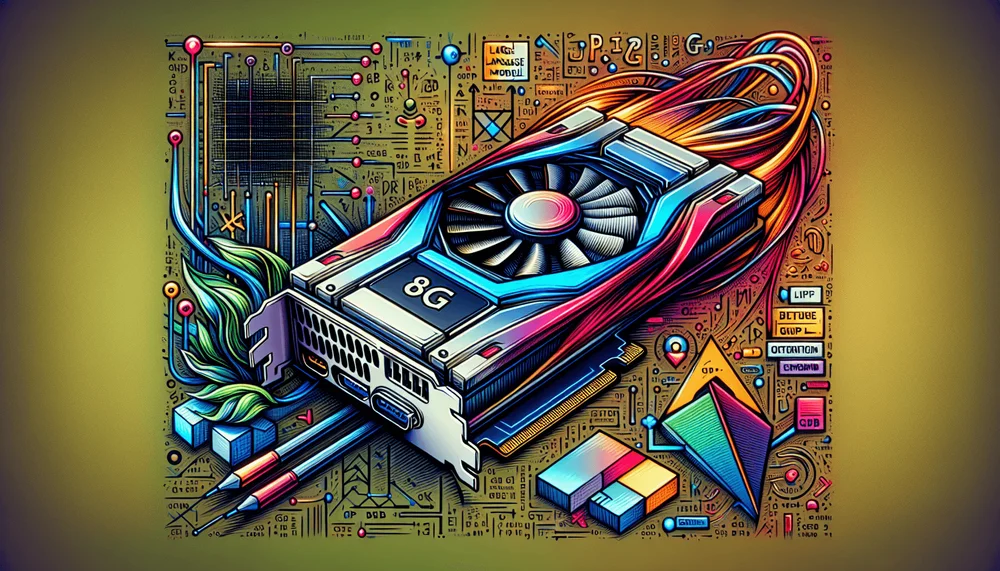
The persistent assumption that running local LLMs demands 24GB or more of VRAM is outdated. Quantization techniques and optimized inference runtimes have changed the VRAM requirements for local inference over the past year, making responsive large language models on budget and mid-range GPUs feasible for developers and hobbyists.
Table of Contents
- You Don't Need a $1,500 GPU to Run LLMs Locally
- Understanding VRAM, Quantization, and Why They Matter
- Best Models for 8GB, 6GB, and 4GB VRAM
- Setting Up Ollama for Low-VRAM GPUs
- Advanced Optimization with llama.cpp
- Performance Tuning Tips and Common Pitfalls
- What's Actually Possible on Budget Hardware
You Don't Need a $1,500 GPU to Run LLMs Locally
How to Run Local LLMs on an 8GB GPU
- Choose a model sized for your VRAM tier—7B–8B parameters for 8GB, 3B–3.8B for 6GB, or sub-2B for 4GB cards.
- Select a GGUF quantization level such as Q4_K_M or Q5_K_M that fits the model within your available memory.
- Install Ollama (or build llama.cpp from source) as your local inference runtime.
- Pull the quantized model with an explicit quant tag to avoid accidentally downloading an FP16 variant.
- Reduce the context window to 2048 tokens to free 1–2GB of VRAM for KV cache headroom.
- Configure GPU layer offloading via
num_gpu(Ollama) or-ngl(llama.cpp), using partial offload for models that exceed VRAM. - Verify GPU utilization with
nvidia-smiorrocm-smito confirm layers are running on the GPU, not silently falling back to CPU. - Iterate on batch size, context length, and layer count based on measured tokens-per-second and VRAM headroom.
The persistent assumption that running local LLMs demands 24GB or more of VRAM is outdated. Quantization techniques and optimized inference runtimes have changed the VRAM requirements for local inference over the past year. Running responsive large language models on budget and mid-range GPUs is feasible for developers and hobbyists motivated by privacy, cost savings, or offline access. It is a practical workflow, not a compromise.
The 8GB VRAM tier represents the most common discrete GPU class among PC users. Cards like the RTX 3060 Ti, RTX 3070, RTX 4060, and RX 6600 XT are consistently among the most popular discrete GPUs in the Steam Hardware Survey and represent the hardware most developers actually own. This guide targets that reality, covering model selection, quantization formats, runtime configuration through Ollama and llama.cpp, and memory management strategies that squeeze the most out of limited VRAM.
The expectations should be clear upfront. An 8GB GPU can comfortably run 7B to 8B parameter models at interactive speeds with good output quality. With careful configuration, 14B models become feasible through partial offloading. What is not on the table: running unquantized 70B models or expecting flagship-tier performance. The goal here is practical, usable inference on the hardware sitting in most developers' machines right now.
An 8GB GPU can comfortably run 7B to 8B parameter models at interactive speeds with good output quality. With careful configuration, 14B models become feasible through partial offloading.
Understanding VRAM, Quantization, and Why They Matter
How LLMs Consume GPU Memory
Every parameter in a large language model occupies memory. At full FP32 precision, each parameter requires 4 bytes. At FP16 (half precision), the standard format for most model distributions, each parameter requires approximately 2 bytes. A 7B parameter model at FP16 therefore demands roughly 14GB of VRAM just for the model weights, before accounting for the KV cache, activation memory, and runtime overhead from the inference engine itself.
This is why 8GB of VRAM is a hard constraint without optimization. A 7B FP16 model simply does not fit. Even a smaller 3.8B model at FP16 would consume around 7.6GB, leaving almost nothing for the KV cache needed during generation. The solution is quantization.
What Is Quantization (and What Is GGUF)?
Quantization reduces the numerical precision of model weights from 16-bit floating point down to 4-bit, 5-bit, 6-bit, or 8-bit integers. This shrinks the memory footprint proportionally while keeping as much model quality as possible. A 7B model quantized to 4-bit precision occupies roughly 4.5GB to 5GB instead of 14GB, bringing it well within 8GB VRAM territory.
The GGUF file format is the current standard for local inference. It replaced the older GGML format, adding support for richer metadata, better tokenizer handling, and more flexible quantization schemes. GGUF models are the default format consumed by both Ollama and llama.cpp, and the vast majority of models on Hugging Face intended for local use ship as GGUF files.
The quantization level names follow a consistent convention. Q4_K_M means 4-bit quantization using the K-quant method at medium quality. Q5_K_M is 5-bit medium. Q6_K is 6-bit. Q8_0 is 8-bit. The "K" variants use a more sophisticated mixed-precision approach where different layers receive different bit widths. Q4_K_M applies 6-bit precision to certain sensitive layers (such as attention and feed-forward matrices) and 4-bit to others, which is why its actual memory footprint is higher than a naive 4-bit estimate. The trade-off is straightforward: lower bit quantization means less VRAM consumption but measurably lower output quality, particularly on reasoning and factual recall tasks.
Best Models for 8GB, 6GB, and 4GB VRAM
8GB VRAM Recommendations (RTX 3060 Ti, 3070, 4060)
This tier offers the most flexibility. Llama 3.1 8B at Q4_K_M occupies roughly 4.9GB, leaving ample room for a 2048 to 4096 context window. At Q5_K_M, the same model runs at slightly higher quality with a footprint around 5.7GB. Mistral 7B v0.3 at Q5_K_M fits similarly and excels at instruction-following tasks. Gemma 2 9B at Q4_K_M is slightly larger but remains within budget. Phi-3.5 Mini at 3.8B parameters fits so comfortably that it can run at Q6_K or even Q8_0, delivering near-original quality with fast generation speeds. Qwen 2.5 7B at Q4_K_M rounds out the tier with multilingual coverage across CJK and major European language families.
For users willing to accept partial GPU offloading, 14B models like Qwen 2.5 14B at Q4_K_M become possible by splitting layers between GPU and CPU. This sacrifices speed but unlocks notably better reasoning capability.
6GB VRAM Recommendations (RTX 2060, 3050 6GB, 4050)
With only 6GB available, aggressive quantization is mandatory. Phi-3.5 Mini 3.8B at Q5_K_M is the sweet spot here: it scores within a few percentage points of its FP16 baseline on standard benchmarks and leaves room for a usable context window. Llama 3.1 8B can still run at Q3_K_M, though output quality drops noticeably on complex reasoning tasks compared to Q4_K_M and above. TinyLlama 1.1B at Q8_0 provides fast, high-quality responses for simpler use cases like summarization or code completion scaffolding. Qwen 2.5 3B at Q5_K_M fits well for multilingual workloads.
4GB VRAM Recommendations (GTX 1650, Older Cards)
At 4GB, choices narrow sharply. Phi-3.5 Mini 3.8B at Q3_K_M is viable but pushes the boundary. TinyLlama 1.1B at Q5_K_M is a safer bet. SmolLM2 1.7B at Q4_K_M offers a balance between capability and memory. For 7B models, a CPU-offload hybrid approach becomes necessary, running a subset of layers on the GPU and the remainder on system RAM.
VRAM Tier Optimization Checklist
| GPU Examples | VRAM | Recommended Model | Quant Level | Approx. Size | Context Window | Expected Speed |
|---|---|---|---|---|---|---|
| RTX 3060 Ti, 3070, 4060 | 8GB | Llama 3.1 8B | Q4_K_M | ~4.9GB | 4096 | 15–30 tok/s |
| RTX 3060 Ti, 3070, 4060 | 8GB | Mistral 7B v0.3 | Q5_K_M | ~5.7GB | 2048–4096 | 15–25 tok/s |
| RTX 3060 Ti, 3070, 4060 | 8GB | Phi-3.5 Mini 3.8B | Q8_0 | ~4.0GB | 4096 | 30–50 tok/s |
| RTX 3060 Ti, 3070, 4060 | 8GB | Gemma 2 9B | Q4_K_M | ~5.5GB | 2048–4096 | 12–20 tok/s |
| RTX 2060, 3050 6GB, 4050 | 6GB | Phi-3.5 Mini 3.8B | Q5_K_M | ~2.8GB | 2048–4096 | 20–35 tok/s |
| RTX 2060, 3050 6GB, 4050 | 6GB | Llama 3.1 8B | Q3_K_M | ~3.9GB | 2048 | 10–18 tok/s |
| RTX 2060, 3050 6GB, 4050 | 6GB | Qwen 2.5 3B | Q5_K_M | ~2.5GB | 2048–4096 | 25–40 tok/s |
| GTX 1650, older | 4GB | TinyLlama 1.1B | Q5_K_M | ~0.8GB | 2048 | 30–50 tok/s |
| GTX 1650, older | 4GB | SmolLM2 1.7B | Q4_K_M | ~1.1GB | 2048 | 25–40 tok/s |
| GTX 1650, older | 4GB | Phi-3.5 Mini 3.8B | Q3_K_M | ~2.1GB | 2048 | 12–20 tok/s |
Speeds vary with GPU architecture, driver version, and system configuration. These figures represent typical ranges from community-reported benchmarks on r/LocalLLaMA and llama.cpp GitHub discussions, circa 2024–2025. Individual results will vary.
Setting Up Ollama for Low-VRAM GPUs
Prerequisites
- OS: Linux (primary), macOS, or Windows.
- NVIDIA GPUs: A recent NVIDIA driver (525+) is required. Ollama bundles the necessary CUDA libraries, so a separate CUDA toolkit installation is not needed in most cases.
- AMD GPUs: ROCm must be installed separately before GPU acceleration will work. See https://rocm.docs.amd.com for platform-specific instructions. Not all Linux distributions are supported.
- Apple Silicon: The Metal backend is used automatically. No additional driver setup is needed; unified memory is managed by macOS.
- System RAM: A minimum of 16GB is recommended for 7B–8B models, especially if any layers spill to CPU.
- Disk space: At least 5–10GB free for a single 8B Q4_K_M model; 15–20GB for a 14B model.
Installing Ollama and Pulling Quantized Models
Ollama provides the simplest path to running quantized models locally. Installation is a single command on Linux and macOS. Windows users download a standard installer from the Ollama website.
# Linux/macOS install
# Download the install script first, review it, then execute:
curl -fsSL https://ollama.com/install.sh -o install.sh

# Verify checksum against value published at https://ollama.com/install.sh.sha256
sha256sum install.sh

# Review the script contents before executing
cat install.sh

# Then run it
sh install.sh

# Verify installation and note the version (these instructions were tested with Ollama v0.3.x)
ollama --version

# Pull specific quantized variants for each VRAM tier
# 8GB GPU — Llama 3.1 8B at Q4_K_M
ollama pull llama3.1:8b-instruct-q4_K_M

# Confirm the model was pulled with the expected tag and size
ollama list

# 8GB GPU — Phi-3.5 Mini at Q8_0 (fits comfortably)
ollama pull phi3.5:3.8b-mini-instruct-q8_0

# 6GB GPU — Llama 3.1 8B at Q3_K_M (more aggressive quant)
ollama pull llama3.1:8b-instruct-q3_K_M

# 4GB GPU — TinyLlama at Q5_K_M
ollama pull tinyllama:1.1b-chat-v1.0-q5_K_M
The tag after the colon specifies the exact quantization variant. Pulling the default tag without a quantization suffix retrieves a Q4_K_M variant in many cases, but this is not guaranteed across all models and may change between releases. Always specify the quantization level explicitly to avoid accidentally downloading an FP16 or larger variant that will not fit in VRAM.
Configuring Ollama for Memory Control
Ollama exposes several environment variables that control runtime behavior. For low-VRAM setups, tuning these is essential. Note that environment variable names may differ across Ollama versions; run ollama --version to confirm you are on v0.3.x or later.
# Scope variables to the ollama serve process only — does not pollute your shell session.
# Reduce parallel request slots to save memory (default is often 4).
# Prevent multiple models from being loaded into VRAM simultaneously.
OLLAMA_NUM_PARALLEL=1 OLLAMA_MAX_LOADED_MODELS=1 ollama serve

# GPU layer offloading is set per-model in the Modelfile via PARAMETER num_gpu (see Modelfile block below).
# There is no Ollama environment variable for directly capping VRAM usage or setting GPU layer count globally.
For persistent per-model configuration, create a Modelfile that locks in context length and layer offloading parameters:
# Modelfile for 8GB GPU optimized inference
FROM llama3.1:8b-instruct-q4_K_M

# Limit context window to 2048 tokens to save ~1-2GB VRAM
PARAMETER num_ctx 2048

# Number of layers to offload to GPU (Llama 3.1 8B has 32 layers; set to 32 for full offload)
PARAMETER num_gpu 32

# CPU threads for any layers not on GPU.
# Set this to your physical CPU core count.
# Linux: run 'nproc --all'  macOS: run 'sysctl -n hw.physicalcpu'
# Replace the value below with your result.
PARAMETER num_thread 8
Build and run the custom model. The FROM directive references llama3.1:8b-instruct-q4_K_M, which must already be pulled. If the pull step above was skipped, run ollama pull llama3.1:8b-instruct-q4_K_M first.
ollama pull llama3.1:8b-instruct-q4_K_M
ollama create llama3.1-lowvram -f Modelfile
ollama run llama3.1-lowvram
The num_ctx parameter is particularly impactful. Dropping from 4096 to 2048 frees 1 to 2GB of VRAM depending on the model architecture, because the KV cache scales with context length multiplied by model architecture dimensions (number of layers x attention heads x head dimension), so larger models consume proportionally more KV memory at the same context length.
Dropping from 4096 to 2048 frees 1 to 2GB of VRAM depending on the model architecture, because the KV cache scales with context length multiplied by model architecture dimensions.
Verifying GPU Utilization
After launching a model, verify that GPU offloading is actually active rather than silently falling back to CPU-only inference.
# NVIDIA GPUs
nvidia-smi

# Expected output should show Ollama or llama-related process consuming VRAM:
# +-----------------------------------------------+
# | Processes:                                     |
# |  GPU   GI   CI    PID   Type  Process name     GPU Memory Usage |
# |    0    N/A  N/A  12345   C   ...ollama          4.8GiB         |
# +-----------------------------------------------+

# AMD GPUs (requires ROCm 5.x or later — see Prerequisites above)
# Show per-process VRAM usage:
rocm-smi --showpids
# Expected output includes a line for the ollama or llama-cli process
# with VRAM usage > 1GB indicating active GPU offloading.

# Also confirm total VRAM allocation:
rocm-smi --showmeminfo vram
# If no process entry appears or VRAM in use < 500MB, offloading is not active.
The key indicator is VRAM usage under the process list. If the Ollama process shows negligible VRAM consumption (under 500MB) while system RAM usage is high, the model is running on CPU. This means the model exceeded available VRAM and Ollama fell back silently.
Advanced Optimization with llama.cpp
When to Use llama.cpp Instead of Ollama
Ollama wraps llama.cpp under the hood, but it abstracts away many tuning parameters. When Ollama's defaults produce suboptimal results on specific hardware, dropping down to llama.cpp directly provides granular control over layer offloading, flash attention, batch sizing, and memory locking. This is particularly useful when squeezing a model that just barely fits, or when optimizing throughput for batch processing rather than interactive chat.
Key llama.cpp Flags for Low-VRAM Inference
The following commands require llama.cpp built from source with GPU support (CUDA for NVIDIA, Metal for Apple Silicon). These instructions assume a build from October 2023 or later, where the binary was renamed from main to llama-cli. Verify with ./llama-cli --version. If the binary is not found, check for ./main in older builds.
Flash attention (--flash-attn) requires llama.cpp to be built with cmake -DLLAMA_FLASH_ATTN=ON. Verify support with ./llama-cli --help | grep flash.
The -ngl (number of GPU layers) flag is the single most impactful parameter. It controls exactly how many transformer layers run on the GPU versus the CPU. The -c flag sets context size; reducing it from 4096 to 2048 yields measurable VRAM savings. The --flash-attn flag enables flash attention, which reduces memory overhead for the attention mechanism. The -b flag controls batch size; lowering it reduces peak memory at the cost of throughput. The --mlock flag prevents the OS from swapping model data to disk, avoiding catastrophic latency spikes during generation.
First, download the GGUF model file. For example:
# Install huggingface-cli if needed: pip install --user huggingface_hub
huggingface-cli download bartowski/Meta-Llama-3.1-8B-Instruct-GGUF \
  --include "Meta-Llama-3.1-8B-Instruct-Q4_K_M.gguf" \
  --local-dir ./models/

# Confirm the file exists before proceeding
MODEL_PATH="./models/Meta-Llama-3.1-8B-Instruct-Q4_K_M.gguf"
if [ ! -f "$MODEL_PATH" ]; then
  echo "ERROR: Model file not found at $MODEL_PATH"
  echo "Check downloaded filenames with: ls ./models/"
  exit 1
fi
Before running inference with full GPU offload, confirm you have sufficient free VRAM:
# Check free VRAM (NVIDIA) — need at least ~5.5GB free for this model + 2048 context
nvidia-smi --query-gpu=memory.free --format=csv,noheader,nounits
Verify that --mlock will work on your system:
# Verify mlock limit before invoking llama-cli with --mlock
MLOCK_LIMIT=$(ulimit -l)
if [ "$MLOCK_LIMIT" != "unlimited" ]; then
  echo "WARNING: ulimit -l is '$MLOCK_LIMIT', not 'unlimited'. --mlock may fail silently."
  echo "Run: ulimit -l unlimited"
  echo "Note: requires root or CAP_IPC_LOCK on Linux. Proceeding without --mlock guarantee."
fi
Then run inference:
# Full llama.cpp inference command optimized for 8GB GPU
# Running Llama 3.1 8B Q4_K_M GGUF (32 transformer layers)
#
# On Linux, --mlock requires 'ulimit -l unlimited' or root/CAP_IPC_LOCK.
# Without this, mlock may fail silently. Check llama.cpp startup output
# for 'model locked in memory' to confirm it worked.
./llama-cli \
  -m "$MODEL_PATH" \
  -ngl 32 \
  -c 2048 \
  --flash-attn \
  -b 256 \
  --mlock \
  -p "Explain the concept of dependency injection in three sentences."
Each flag contributes to keeping the total memory footprint under the 8GB ceiling. The combination of Q4_K_M quantization, 2048 context, and flash attention leaves 1 to 2GB of headroom for the KV cache and runtime allocations on most 8GB cards.
Partial Offloading: Splitting Between GPU and CPU
For models that exceed GPU memory at full offload, partial offloading runs some layers on the GPU and the rest on the CPU. The calculation requires accounting for KV cache and runtime overhead, not just the model file size.
For example, a 14B parameter model at Q4_K_M occupies roughly 8.1–8.4GB on disk, depending on architecture and metadata. On an 8GB GPU with around 7GB usable (after OS and driver overhead), the GPU cannot hold all layers of the model. A safer estimate: subtract approximately 1–1.5GB from usable VRAM for the KV cache and runtime allocations first. So: (7GB - 1.5GB) / 8.2GB = 0.67. Qwen 2.5 14B has 48 transformer layers. At a 0.67 ratio, that gives approximately 32 layers. Start conservatively at 28–32 and reduce if you encounter out-of-memory errors.
# Partial offload: Qwen 2.5 14B Q4_K_M on 8GB GPU
# Model has 48 layers; offloading 28 to GPU, rest on CPU
#
# On Linux, --mlock requires 'ulimit -l unlimited' first.
# Note: locking a 14B model's CPU-resident layers requires substantial system RAM.
#
# -b 128 (reduced from 256) lowers peak RAM usage for CPU-resident layers
# during partial offload, reducing OOM risk on 16GB RAM systems.
#
# -t sets CPU thread count. Replace 8 with your physical core count:
#   Linux: nproc --all    macOS: sysctl -n hw.physicalcpu
./llama-cli \
  -m ./models/qwen2.5-14b-instruct-q4_k_m.gguf \
  -ngl 28 \
  -c 2048 \
  --flash-attn \
  -b 128 \
  --mlock \
  -t 8 \
  -p "Summarize the key differences between REST and GraphQL."

# Expect ~5-10 tok/s — slower than full GPU offload but 2-5x faster than CPU-only,
# depending on how many layers land on the GPU and the system's memory bandwidth.
Partial offloading runs slower than full GPU residence but faster than CPU-only inference. The exact speedup depends on the layer split ratio and the system's CPU and RAM speed. Monitor VRAM usage with nvidia-smi during inference; if usage exceeds 7.5GB, reduce -ngl by 4 and retry.
Performance Tuning Tips and Common Pitfalls
Reduce Context Length First
The context window is the single largest hidden VRAM consumer after the model weights themselves. The KV cache scales with context length multiplied by model architecture dimensions (number of layers x attention heads x head dimension), so a 9B model with the same context length uses more KV cache memory than a 7B model. Dropping from 4096 to 2048 tokens frees 1 to 2GB of VRAM depending on the model, which is often the difference between a model fitting entirely on the GPU or requiring CPU fallback.
Close Competing Applications
Modern browsers with hardware acceleration, Discord, game launchers like Steam, and even desktop compositors on Linux consume hundreds of megabytes of VRAM. On an 8GB card, 500MB of VRAM consumed by background applications can force a model into partial offload. Before launching inference, audit VRAM usage with nvidia-smi or rocm-smi and close unnecessary applications. On Windows, the Task Manager's GPU tab provides a per-process VRAM breakdown.
System RAM as a Safety Net
For any layers that spill to the CPU, system RAM speed and capacity matter. A minimum of 16GB system RAM is recommended for running 7B to 8B models with partial offloading. If the system uses swap or a pagefile for model data, inference speed drops to sub-1 token per second as the OS pages model data to disk. Unified memory architectures like Apple Silicon and AMD APUs with shared memory pools operate under different rules entirely; the available memory pool is shared between GPU and CPU workloads, which allows running the full layer count without splitting between GPU and system RAM. On Apple Silicon, Ollama uses the Metal backend automatically and treats the unified memory pool as a single resource; set num_gpu to the full layer count and allow macOS to manage allocation.
Common Mistakes to Avoid
The mistake most users make is pulling the default model tag in Ollama without specifying a quantization level. Some model repositories default to FP16 or Q8_0, both of which exceed 8GB for a 7B model once the KV cache is factored in. Always specify the quant tag explicitly.
Setting context length to the model's maximum (often 8192 or 32768 for newer models) without considering VRAM is another common trap. The model may load but crash or slow to a crawl once generation begins and the KV cache grows.
Throughput drops of 20% to 40% from thermal throttling catch many users off guard, especially on older cards like the GTX 1070/1080 with marginal cooling. Inference is a steady-state workload, not a burst workload like gaming. After several minutes of continuous generation, these cards throttle and stay throttled.
Finally, set realistic quality expectations. A 3B parameter model at Q3_K_M quantization will not produce output comparable to GPT-4 or Claude 3.5 Sonnet. These small, aggressively quantized models are useful for drafting, summarization, code scaffolding, and local RAG pipelines, but they have clear limits on complex reasoning, nuanced instruction following, and factual accuracy.
A 3B parameter model at Q3_K_M quantization will not produce output comparable to GPT-4 or Claude 3.5 Sonnet. These small, aggressively quantized models are useful for drafting, summarization, code scaffolding, and local RAG pipelines, but they have clear limits on complex reasoning, nuanced instruction following, and factual accuracy.
What's Actually Possible on Budget Hardware
An 8GB GPU comfortably runs 7B to 8B parameter models at Q4 or Q5 quantization with interactive generation speeds. Output quality at these quantization levels is sufficient for drafting, summarization, code generation, and local RAG retrieval, but degrades on multi-step reasoning and tasks requiring precise factual recall. The 6GB tier remains viable with smaller models and more aggressive quantization. Even 4GB cards run sub-2B models at reasonable speeds for lightweight tasks.
The ecosystem trajectory favors these constrained setups. Model architectures are becoming more parameter-efficient. Quantization methods continue to improve quality at lower bit widths. Runtimes like llama.cpp and Ollama ship features specifically designed for memory-limited hardware. Models are getting more capable at smaller sizes, not just bigger.
The most productive starting point is Ollama paired with one model from the VRAM tier checklist above. Install it, pull a quantized model appropriate for the available VRAM, measure tokens per second, and iterate on context length and layer offloading from there. SitePoint's resources on local AI application development cover connecting inference endpoints to application code, building RAG pipelines, and integrating with development toolchains.