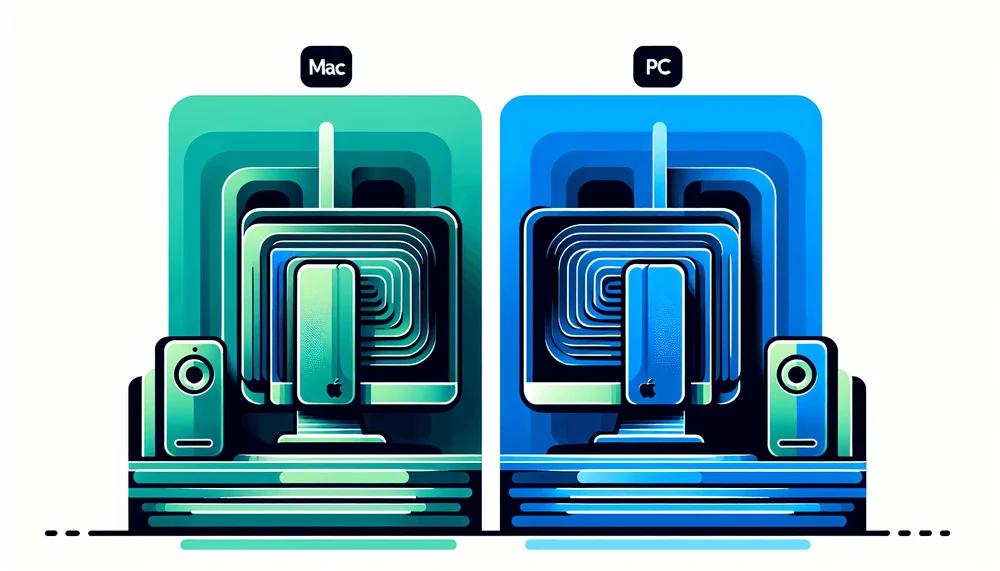
Running large language models locally has become a practical reality for developers and enthusiasts who want to keep data on-device, eliminate recurring API costs, and achieve no network round-trip latency. Understanding the local LLM hardware requirements for Mac vs PC in 2026 matters for anyone evaluating a hardware purchase.
Mac vs PC for Local LLMs Comparison
| Dimension | Mac (M3 Pro/Max) | PC (RTX 3090/4090) |
|---|---|---|
| Memory capacity | Up to 96GB unified memory; runs 70B models on a single device | 24GB VRAM per GPU; 70B models require dual-GPU setups |
| Inference speed (7B–13B Q4) | 25–50 tokens/s depending on chip | 80–140 tokens/s; 2–4× faster for models that fit in VRAM |
| Power & noise | 30–50W under load; near-silent operation | 350–450W per GPU; audible cooling required |
| Software ecosystem | Ollama, MLX, LM Studio; no CUDA or vLLM (limited) | Full CUDA stack: vLLM, TensorRT-LLM, broadest framework support |
Table of Contents
- Why Run LLMs Locally in 2026?
- How Local LLMs Use Hardware
- Apple Silicon for Local LLMs: M3 Pro and M3 Max
- NVIDIA GPUs for Local LLMs: RTX 3090 and RTX 4090
- Head-to-Head Benchmarks: Mac vs PC
- Software Ecosystem: Ollama, vLLM, and Beyond
- Hardware Recommendation Matrix by Budget and Use Case
- Future-Proofing Your Setup
- Final Verdict: Mac or PC for Local LLMs?
Why Run LLMs Locally in 2026?
Privacy, Cost, and Latency Advantages
Running large language models locally has become a practical reality for developers and enthusiasts who want to keep data on-device, eliminate recurring API costs, and achieve no network round-trip latency, though first-token generation latency depends on hardware. Understanding the local LLM hardware requirements for Mac vs PC in 2026 matters for anyone evaluating a hardware purchase, whether for privacy-sensitive prototyping, cost-conscious hobby projects, or small team deployments that need offline reliability.
This comparison targets developers, hobbyists, and small teams making purchasing decisions right now. It covers inference workloads exclusively. Training large language models remains a fundamentally different computational challenge requiring cluster-scale resources far beyond consumer hardware. Everything that follows assumes the reader wants to load a pre-trained (or fine-tuned) model and generate tokens locally.
How Local LLMs Use Hardware
The Role of Memory (VRAM vs Unified Memory)
Memory capacity is the single most important constraint for local LLM inference. A model's parameters must fit into fast-access memory before the GPU or accelerator can process them. On a traditional PC, this means VRAM on a discrete GPU, a physically separate pool of high-bandwidth memory soldered onto the graphics card. On Apple Silicon Macs, it means unified memory, a single pool of RAM shared between the CPU, GPU, and Neural Engine, where all processors access it without copying data between memory spaces.
Memory capacity is the single most important constraint for local LLM inference.
The practical rule of thumb: multiply the model's parameter count by 0.5 bytes for 4-bit quantization (4 bits = 0.5 bytes per parameter), then add 20-30% overhead for KV cache and runtime buffers. A 7-billion-parameter model quantized to 4 bits requires roughly 3.5-4GB for weights alone, with total memory usage around 5GB including overhead. A 70-billion-parameter model at the same quantization needs around 35GB for weights, with overhead pushing the real requirement to 40-45GB. If the model does not fit, it either cannot run or must offload layers to system RAM, which tanks performance by an order of magnitude.
CPU, GPU Compute, and Memory Bandwidth
Memory bandwidth almost always bottlenecks inference, not raw compute. Each generated token requires reading the model's weights from memory. The speed at which those weights stream to the processing cores directly determines tokens-per-second throughput. This is why memory bandwidth numbers matter far more than GPU core counts for inference workloads, a point that contradicts the common assumption that more CUDA cores or GPU compute units automatically mean faster LLM output.
All bandwidth figures cited in this article are theoretical peak specifications. Effective bandwidth under LLM inference workloads is typically 60-80% of peak due to memory controller overhead and access patterns.
Quantization formats such as Q4_K_M and Q5_K_M compress model weights to 4 or 5 bits per parameter, respectively. These are GGUF k-quant formats using mixed precision; effective bits per weight vary slightly from the nominal value. They reduce both memory footprint and the bandwidth needed per token. Q4_K_M is the most common choice for balancing quality and performance. These formats directly shape hardware decisions because they determine whether a given model fits in available memory and how quickly it can be served.
Apple Silicon for Local LLMs: M3 Pro and M3 Max
M3 Pro: The Budget Sweet Spot
The M3 Pro ships in 18GB and 36GB unified memory configurations with memory bandwidth of 150 GB/s. The 36GB variant requires the 14-core CPU / 18-core GPU chip configuration, available in 14-inch and 16-inch MacBook Pro. Both M3 Pro chip variants share the 150 GB/s bandwidth figure. The 36GB variant is the one worth discussing for LLM work. It can comfortably run 7B to 13B parameter models at 4-bit quantization, and 34B quantized models like CodeLlama 34B at Q4_K_M fit within the 36GB ceiling, though with limited room for large context windows. Mixtral 8x7B at Q4_K_M, requiring 26-28GB, also fits within the 36GB unified memory pool.
Real-world performance for the M3 Pro 36GB running Llama 3 8B via Ollama lands in the range of 25 to 35 tokens per second, depending on context length and quantization. Mistral 7B at Q4_K_M performs similarly. These numbers deliver a comfortable interactive chat experience.
At 150 GB/s, the M3 Pro cannot compete with discrete NVIDIA GPUs on raw throughput for models that fit in VRAM. It works well for personal use, but expect noticeably slower output than a desktop GPU setup when pushing larger models or longer contexts.
M3 Max: The Mac Power User's Choice
The M3 Max is available in 48GB and 96GB unified memory configurations, with memory bandwidth reaching 400 GB/s. The 96GB configuration is the standout. It can load a 70B parameter model at Q4_K_M quantization, requiring roughly 40-45GB total including overhead, with room left over for KV cache. It can also run multiple concurrent models if total memory demand stays within budget.
Running Llama 3 70B at Q4_K_M on an M3 Max 96GB yields 10 to 15 tokens per second via Ollama, which sits right at the threshold of interactive usability. Mixtral 8x7B at Q4_K_M, a mixture-of-experts model with roughly 47B total parameters but only ~13B active per token, performs well at 20 to 30 tokens per second.
The real advantage here is capacity. The M3 Max 96GB can load models that simply will not fit in any single consumer NVIDIA GPU's VRAM. As of early 2026, no consumer RTX 40-series card exceeds 24GB VRAM. Verify whether RTX 50-series cards have shipped with higher capacities before making a purchase decision based on this constraint.
Apple Silicon Strengths and Limitations
The limitations hit first. The RTX 4090's ~1,008 GB/s is roughly 2.5x the M3 Max's 400 GB/s. That bandwidth gap directly drives the per-token speed difference. The software ecosystem remains CUDA-second; most cutting-edge open-source LLM optimization work targets NVIDIA hardware first. CUDA is entirely absent, which means tools like vLLM and TensorRT-LLM do not run on Mac. vLLM has begun experimental Apple Silicon support; verify current status before relying on this constraint.
What Apple Silicon does offer is tangible: near-silent operation under typical loads, with active cooling engaging under sustained inference on MacBook Pro models (only MacBook Air is fully fanless). Energy efficiency measured in tens of watts versus hundreds for discrete GPUs. A 96GB memory ceiling on the Max configuration. And zero driver management headaches. macOS handles Metal acceleration natively without the driver version juggling that plagues Linux CUDA setups.
NVIDIA GPUs for Local LLMs: RTX 3090 and RTX 4090
RTX 3090: The Value King
The 24GB VRAM wall defines what the RTX 3090 can and cannot do. A 34B model quantized to Q4_K_M can squeeze into 24GB, but it is tight, leaving minimal headroom for context length and KV cache. 70B models are out entirely on a single card. For 7B to 13B parameter models at 4-bit quantization, though, the card is more than comfortable.
The RTX 3090 delivers 936 GB/s memory bandwidth (the RTX 3090 Ti reaches ~1,008 GB/s but appears less frequently on the used market). Real-world performance for Llama 3 8B at Q4_K_M via Ollama reaches 80 to 110 tokens per second, roughly three to four times faster than the M3 Pro. Mistral 7B at the same quantization performs in a similar range. The raw bandwidth advantage is unmistakable for models that fit.
In 2026, the used market for RTX 3090 cards has matured. Check current used prices before purchasing, as the market fluctuates; cards regularly sell well below their original MSRP. Dual RTX 3090 setups can distribute model layers across 48GB total VRAM using tensor parallelism in frameworks like vLLM or llama.cpp. This is not a unified memory pool. Each GPU accesses its own 24GB. It requires explicit multi-GPU configuration. Warning: Dual RTX 3090 builds draw 700-900W combined under load; verify that your PSU (1,200W+ recommended) and circuit amperage capacity are sufficient before building.
RTX 4090: Peak Consumer Performance
The RTX 4090 provides the same 24GB VRAM ceiling but with GDDR6X running at higher speeds, pushing bandwidth to 1,008 GB/s. It also features more CUDA cores and improved architecture efficiency compared to the 3090.
For the same benchmark models, the RTX 4090 generates tokens roughly 15 to 25 percent faster than the 3090. This speed advantage exceeds what the ~7-8% bandwidth difference alone would explain; architectural improvements including larger L2 cache, more efficient tensor cores, and improved memory controller scheduling account for the additional gains. Llama 3 8B at Q4_K_M can reach 100 to 140 tokens per second. This speed advantage compounds during batch processing or when serving multiple simultaneous requests.
The 24GB VRAM wall is the hard limit. A 70B model at Q4_K_M requires 40-45GB total. It does not fit. No configuration option, quantization trick, or software optimization changes this fundamental constraint on a single RTX 4090. You can offload layers to system RAM, but throughput drops to a fraction of full-GPU speed, often below the interactive usability threshold. Dual-GPU systems require a 1,200W+ PSU and adequate case airflow; verify circuit amperage capacity before building.
NVIDIA Strengths and Limitations
NVIDIA delivers the highest memory bandwidth available in consumer hardware and a dominant CUDA ecosystem with deep optimization in nearly every open-source LLM framework. vLLM and TensorRT-LLM provide optimized serving, and batched inference throughput leads the consumer market.
The limitations are practical. The 24GB VRAM cap on all consumer-tier RTX 40-series cards locks out 70B+ models on a single GPU. Power draw of 350-450W per card demands robust power supplies and cooling. Noise levels under sustained inference load are high enough to be disruptive in a quiet room. Building a multi-GPU system means sourcing compatible motherboards, ensuring sufficient PCIe lanes, and managing case airflow, adding $400-$600 beyond the GPU cost for the supporting components. Multi-GPU setups double or triple these concerns.
Head-to-Head Benchmarks: Mac vs PC
Tokens per Second by Model Size
The following table summarizes tokens-per-second performance across four hardware configurations and four common model benchmarks, all using Q4_K_M quantization. Benchmarks were collected under favorable conditions; expect +-20% variance based on OS version, Ollama version, context length, system state, and thermal conditions. Always benchmark on AC power to avoid thermal throttling.
| Model | M3 Pro 36GB | M3 Max 96GB | RTX 3090 24GB | RTX 4090 24GB |
|---|---|---|---|---|
| Llama 3 8B (Q4_K_M) | 25-35 tok/s | 35-50 tok/s | 80-110 tok/s | 100-140 tok/s |
| Mistral 7B (Q4_K_M) | 25-35 tok/s | 35-50 tok/s | 80-110 tok/s | 100-140 tok/s |
| Llama 3 70B (Q4_K_M) | Cannot run | 10-15 tok/s | Cannot run | Cannot run |
| Mixtral 8x7B (Q4_K_M) | ~15-25 tok/s† | 20-30 tok/s | Cannot fit in 24GB* | Cannot fit in 24GB* |
†Mixtral 8x7B at Q4_K_M requires ~26-28GB, which fits within the M3 Pro's 36GB unified memory. Verify with ollama run mixtral:8x7b-instruct-v0.1-q4_K_M.
*Mixtral 8x7B at Q4_K_M requires ~26-28GB. This definitively exceeds 24GB VRAM and will not run on a single RTX card without CPU offloading, which severely degrades performance. The M3 Pro 36GB and M3 Max 96GB can run it natively.
What the Numbers Actually Mean
Interactive chat requires roughly 10 or more tokens per second to feel responsive. This is an experiential threshold; actual perceived responsiveness depends on streaming display latency and use-case context length. Below that, the experience becomes frustratingly slow, like watching text appear one word at a time with visible pauses. Above 30 tokens per second, the difference becomes imperceptible for conversational use; the extra speed benefits batch processing, API serving, or running multiple queries concurrently.
The table reveals the core tension in the Mac vs PC comparison. For models that fit within 24GB, NVIDIA GPUs deliver two to four times the throughput of Apple Silicon, a decisive advantage driven by their higher memory bandwidth. But for 70B-class models, the M3 Max 96GB is the only single-device consumer option that works at all. The RTX 4090 "wins" on every model it can actually run. The M3 Max "wins" by being the only player on the field for the largest models.
The RTX 4090 "wins" on every model it can actually run. The M3 Max "wins" by being the only player on the field for the largest models.
For readers who want to benchmark their own hardware, running ollama run llama3.2:8b-instruct-q4_K_M --verbose will display per-token timing information directly in the terminal. Run ollama list to confirm available model tags; output format varies by Ollama version.
Software Ecosystem: Ollama, vLLM, and Beyond
Mac Software Stack
Ollama is the primary inference tool on macOS, offering native Metal support and a straightforward installation process. It downloads models, selects quantization formats, and serves them through a CLI and local API. Initial model downloads range from 4GB for 7B models to 40GB+ for 70B models; plan for disk space and download time accordingly, especially on metered connections.
LM Studio provides a graphical interface for model management and chat, targeting users who prefer a visual workflow. LM Studio uses llama.cpp as its primary backend, with MLX support in recent versions. Apple's MLX framework is an increasingly mature option specifically optimized for Apple Silicon, offering lower-level control and performance tuning that can extract additional throughput from unified memory architecture. The llama.cpp Metal backend has seen steady improvement in Metal GPU utilization, though it still does not match the optimization depth of CUDA backends.
PC/NVIDIA Software Stack
On the PC side, Ollama with its CUDA backend provides the same easy on-ramp. vLLM adds production-grade serving capabilities with continuous batching, PagedAttention for efficient KV cache management, and support for serving models to multiple concurrent users, making it the standard choice for team or API-serving deployments.
TensorRT-LLM represents NVIDIA's own optimized inference engine, extracting maximum performance from their hardware through kernel fusion and quantization-aware optimization. Most major inference frameworks ship CUDA support first; Metal or ROCm backends follow weeks to months later. The overwhelming majority of open-source LLM tooling, from training frameworks to inference servers to evaluation suites, targets CUDA as the primary platform. Mac support often arrives later, with fewer optimization passes.
Hardware Recommendation Matrix by Budget and Use Case
The Matrix
Note: PC build costs listed below reflect GPU cost only; budget an additional $800-$1,200 for case, PSU, CPU, motherboard, storage, and system RAM.
| Budget | Recommended Mac | Recommended PC | Best For | Max Model Size |
|---|---|---|---|---|
| Under $1,500 | MacBook Air M3 18GB (limited) | Custom PC + used RTX 3090 | 7B models, experimentation | 13B (Mac) / 34B tight (PC) |
| $1,500-$2,500 | MacBook Pro M3 Pro 36GB | Custom PC + RTX 3090 | 7B-13B daily use, dev work | 34B (both, quantized) |
| $2,500-$4,000 | MacBook Pro M3 Max 48GB | Custom PC + RTX 4090 | Serious development, larger models | 34B+ (Mac) / 34B (PC) |
| $4,000+ | MacBook Pro M3 Max 96GB | Dual RTX 3090 or 4090 build | 70B models, team serving | 70B (Mac) / 70B (PC dual) |
Choosing by Use Case
The MacBook Pro M3 Pro 36GB or a PC with a used RTX 3090 both handle casual experimentation and chatbot hobby work well with 7B-13B models. The Mac offers simplicity and portability. The PC generates tokens two to four times faster.
For developers building LLM-powered apps, an RTX 4090 PC provides the fastest iteration speed for models up to 34B. An M3 Max Mac offers portability combined with the ability to load larger models that a 24GB GPU cannot touch, which is valuable for testing against bigger models without cloud API calls.
Running 70B+ models locally narrows the options sharply. The M3 Max 96GB is the only single-device consumer option. The alternative on PC requires a multi-GPU setup like dual RTX 3090s, which adds $400-$600 in supporting components, requires explicit tensor parallelism configuration in frameworks like vLLM or llama.cpp with --split-mode flags, and draws 700-900W under load. Consult framework documentation before committing to a dual-GPU build.
A PC with an RTX 4090 paired with vLLM is the clear choice for serving models to a team or batch processing. Continuous batching and CUDA optimization deliver throughput that Apple Silicon cannot match for multi-user serving scenarios. Dual 3090 setups offer more VRAM for larger models at the cost of added complexity.
Mac wins by default for silent home office or laptop use. The MacBook Air, being fanless, offers guaranteed silence at the cost of lower sustained performance; MacBook Pro models use active cooling that becomes audible under sustained inference load. No fanless discrete GPU solution matches Apple Silicon's acoustic profile.
Future-Proofing Your Setup
What to Watch in Late 2026 and Beyond
NVIDIA's RTX 50-series is expected to bring increased VRAM beyond the 24GB ceiling that has constrained the consumer tier for two GPU generations. If the consumer flagship ships with 32GB or more, it would shift the calculus for 70B model users. Verify current RTX 50-series availability and specifications at time of purchase.
Apple's M4 Pro and M4 Max are anticipated to push memory bandwidth higher. Any improvement above the M3 Max's 400 GB/s translates directly to faster inference. Until Apple publishes M4 bandwidth specifications, there is no way to estimate how much the per-token speed gap with NVIDIA will change. Verify actual M4 release status and specifications at time of purchase.
The broader trend toward smaller, more efficient models, including Mistral's approach, Microsoft's Phi series, and distillation techniques, steadily reduces what hardware you need for a given capability level. Recent 14B models already match 2024 70B models on coding and summarization benchmarks; expect this trend to accelerate as distillation and architecture improvements compound.
AMD's ROCm ecosystem continues to mature as a potential third option, with improving support in llama.cpp and vLLM. It is not yet at parity with CUDA for LLM inference optimization, but the gap is closing. The Radeon PRO W7900 offers 48GB at ~$3,500 street price as of early 2026, but it is a professional workstation GPU, not a consumer card. For consumer AMD options, the RX 7900 XTX with 24GB is the nearest equivalent, though ROCm support maturity varies. Check AMD's ROCm hardware compatibility matrix before purchasing.
Final Verdict: Mac or PC for Local LLMs?
The core tradeoff is clear. Mac delivers memory capacity, simplicity, energy efficiency, and near-silent operation. PC with NVIDIA delivers raw speed, the deepest software ecosystem, batched inference optimization, and hardware flexibility. Neither platform is universally superior. The right choice depends on which models need to run, how many users will be served, and what the budget allows.
Neither platform is universally superior. The right choice depends on which models need to run, how many users will be served, and what the budget allows.
Return to the recommendation matrix above as the actionable decision tool. Match the budget tier and use case to the specific configuration. The best local LLM hardware is whatever gets a working model running today.