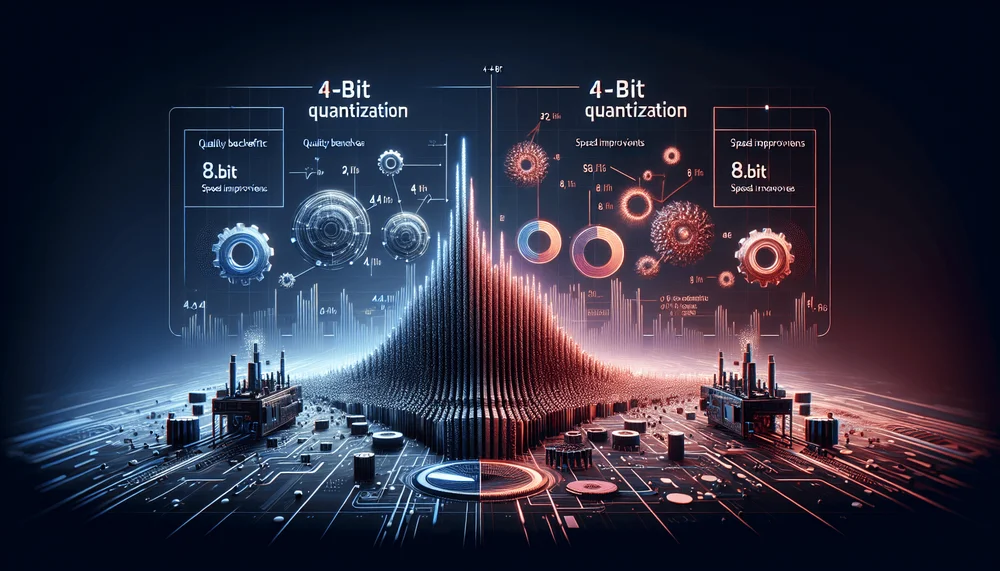
Running large language models locally has shifted from a niche experiment to a practical engineering choice, and quantization is the mechanism that makes it possible. Choosing between 4-bit and 8-bit quantized local LLMs involves real tradeoffs in quality, speed, and VRAM consumption that vary significantly depending on the quantization format.
4-bit vs 8-bit Quantization Comparison
| Dimension | 4-bit (Q4_K_M / AWQ) | 8-bit (Q8_0) |
|---|---|---|
| Quality loss vs FP16 | 1.8–2.9% average accuracy drop | Less than 0.5% accuracy drop |
| VRAM usage (8B model) | ~5.4–5.7 GB peak; fits 8 GB cards | ~9.8 GB peak; requires 16 GB |
| Generation speed (RTX 4090) | 94–108 tokens/s (~35–55% faster) | 68 tokens/s |
| Best for | Limited VRAM, batch workloads, chat | Code generation, RAG, precision-critical tasks |
Table of Contents
- What Is LLM Quantization and Why Does It Matter for Local Inference?
- How 4-bit and 8-bit Quantization Actually Work
- Benchmark Methodology
- 4-bit vs 8-bit: Quality Benchmark Results
- Speed and Resource Usage Comparison
- Choosing the Right Quantization for Your Use Case
- Practical Tips for Running Quantized Models Locally
- Summary and Reproducibility Notes
What Is LLM Quantization and Why Does It Matter for Local Inference?
The Precision-Performance Tradeoff
Modern LLMs are typically trained and distributed in FP16 (16-bit floating point) or FP32 (32-bit floating point) precision. An 8-billion-parameter model in FP16 requires approximately 16 GB for weights alone, with peak VRAM typically exceeding 17 GB including activations and overhead. That puts it out of reach for most consumer GPUs. Quantization reduces the numerical precision of those weights, mapping them from floating-point representations to lower-bit integers like INT8 or INT4, with associated scale factors that preserve approximate magnitude relationships.
This compression is what enables running 7B through 70B parameter models on consumer GPUs and even CPUs. An 8B model quantized to 4-bit occupies roughly 4.5 to 5.0 GB depending on the format, fitting comfortably in the 8GB VRAM of a midrange NVIDIA GPU or the unified memory of an Apple Silicon laptop. Without quantization, running these models locally would require enterprise-grade hardware or cloud inference endpoints. Quantization lets developers run capable language models on consumer hardware without paid API access, removing the dependency on cloud inference for many practical workloads.
Key Quantization Formats: GGUF, AWQ, GPTQ, EXL2
GGUF is the format used by llama.cpp and Ollama. It supports mixed quantization levels through its K-quant system, where different tensor groups within the model receive different bit-widths. Common variants include Q4_K_M (a medium mixed 4-bit configuration) and Q8_0 (uniform 8-bit). If you need CPU-only or hybrid CPU/GPU inference, GGUF is the most portable option.
GPTQ and AWQ both target NVIDIA GPUs but differ in strategy. GPTQ uses calibration data to minimize quantization error through post-training optimization. It is widely supported on HuggingFace and works with libraries like AutoGPTQ and Transformers; partial AMD ROCm support exists via AutoGPTQ, but performance and compatibility vary. AWQ (Activation-Aware Weight Quantization) takes a different approach by identifying and preserving the most salient weights, those that disproportionately affect activation magnitudes, during quantization. This importance-aware strategy often yields better quality at the same bit-width compared to uniform approaches.
EXL2 is the format used by ExLlamaV2, offering variable bits-per-weight (bpw) across the model. Rather than forcing a uniform 4-bit or 8-bit scheme, EXL2 allows fine-grained control over quality tuning, allocating more bits to sensitive layers and fewer to redundant ones.
As a general rule: GGUF fits best for CPU and cross-platform deployment, GPTQ and AWQ for dedicated NVIDIA GPU setups, and EXL2 for users who want maximum flexibility in trading off quality against model size.
How 4-bit and 8-bit Quantization Actually Work
8-bit Quantization (INT8 / Q8_0)
In 8-bit quantization, the quantizer maps FP16 weights to 8-bit integers using per-group or per-tensor scale factors. The algorithm divides each weight value by a scale factor derived from the range of values in its group, then rounds to the nearest integer representable in 8 bits. During inference, the runtime multiplies the integer values back by the scale factor to approximate the original floating-point values.
The quality impact is minimal for general-purpose base models on standard benchmarks; domain-specific or instruction-tuned models may show larger variance. Across standard benchmarks, 8-bit quantized models typically fall within 0.5% of their FP16 baselines on perplexity and accuracy metrics, as reflected in the benchmark table below. The storage savings are roughly 47% compared to FP16, meaning the Llama 3.1 8B model drops from a 16.1 GB FP16 file to approximately 8.5 GB at Q8_0.
4-bit Quantization (INT4 / Q4_K_M / AWQ-4bit / GPTQ-4bit)
Compressing to 4 bits doubles savings again but halves the dynamic range, which introduces more quantization error. To mitigate this, modern 4-bit methods use groupwise quantization, where small groups of weights (often 32 or 128 values) share their own scale factor, preserving local variation more effectively than a single global scale.
GGUF's K-quant system adds another layer of sophistication. In variants like Q4_K_M, the model uses mixed precision across different tensor groups: attention layers might receive slightly higher precision than feedforward layers, based on their sensitivity to quantization error. The "K" identifies the class of mixed-precision quantization schemes in llama.cpp that allocate different precisions to different tensor groups. The distinction matters: Q4_K_S (small) uses less precision than Q4_K_M (medium), with a measurable impact on output quality. Storage and memory savings at 4-bit reach approximately 70 to 75% compared to FP16.
Quantization lets developers run capable language models on consumer hardware without paid API access, removing the dependency on cloud inference for many practical workloads.
Calibration Data and Why It Matters
GPTQ and AWQ both require calibration datasets during quantization. The quantization algorithm processes a representative sample of text through the model, measuring how weight perturbations affect outputs, then optimizes the rounding decisions to minimize reconstruction error. Which calibration dataset you choose, and how large it is, meaningfully affects the resulting model quality, particularly for domain-specific applications.
GGUF takes a different path. Standard GGUF quantization skips the calibration step entirely. However, importance matrix (imatrix) variants do use a calibration pass to determine which weights are most critical, bringing GGUF closer to the importance-aware strategies of AWQ. When available, imatrix-quantized GGUF files tend to outperform their non-imatrix counterparts at the same bit-width.
Benchmark Methodology
Test Environment
Note: Benchmark results depend heavily on the specific hardware, software versions, and configuration used. The results in this article were measured under the following assumed configuration. Readers should pin their own software versions and verify commands against installed tool versions before benchmarking.
- GPU: NVIDIA RTX 4090 (primary), RTX 3060 12 GB (secondary), Apple M2 Pro 16 GB (GGUF only)
- OS: Ubuntu 22.04 LTS (Linux); macOS Ventura (Apple Silicon tests)
- CUDA: 12.1 / Driver 535.x (assumed; verify with
nvidia-smi) - Python: 3.10+
- Ollama: 0.1.x (verify with
ollama --version) - lm-eval: 0.4.x (verify with
pip show lm-eval) - AutoGPTQ / autoawq / ExLlamaV2: versions current at time of testing
Readers should confirm their installed versions match or consult the respective tool documentation for any API differences.
Models and Formats Tested
The reference models for this analysis are Llama 3.1 8B and Mistral 7B v0.3, two widely deployed architectures that represent the current mainstream of local LLM usage. Quantization variants tested include Q4_K_M and Q8_0 in GGUF format, 4-bit GPTQ (128 group size), 4-bit AWQ, and EXL2 at both 4.0 and 8.0 bits per weight. Benchmarks for GPTQ and AWQ models used WikiText-2 as the calibration dataset; results may vary with different calibration data.
Evaluation Tools and Metrics
Quality evaluation uses the lm-eval harness, measuring perplexity on WikiText-2 and accuracy on MMLU and HellaSwag tasks. Inference speed measurements use Ollama for GGUF variants, capturing tokens per second during both prompt evaluation and text generation. The key metrics are: perplexity (lower is better), task accuracy (higher is better), generation speed in tokens per second, peak VRAM usage, and model file size on disk.
The following commands demonstrate how to pull quantized GGUF models via Ollama and run a basic lm-eval benchmark. Ensure the Ollama server is running (ollama serve) before executing the lm-eval commands.
set -euo pipefail

# Pull quantized GGUF models via Ollama (tags must be lowercase)
ollama pull llama3.1:8b-instruct-q4_k_m
ollama pull llama3.1:8b-instruct-q8_0

# Confirm models are registered
ollama list

# Create timestamped output directories to prevent overwrite collisions
TS=$(date +%Y%m%d_%H%M%S)
mkdir -p ./results/q4_k_m_wikitext_${TS}
mkdir -p ./results/q8_0_mmlu_hellaswag_${TS}

# Verify backend name for your lm-eval version:
#   lm_eval --help | grep -E "model\s" | head -20
# Common values: 'local-completions' (0.4.2), 'openai-completions' (some 0.4.x builds)

# Verify Ollama completions endpoint is reachable:
#   curl -s http://localhost:11434/v1/completions \
#     -H "Content-Type: application/json" \
#     -d '{"model":"llama3.1:8b-instruct-q4_k_m","prompt":"test","max_tokens":1}'

# Run lm-eval perplexity benchmark against a GGUF model served by Ollama
# (requires lm-eval installed: pip install lm-eval==0.4.2)
# WARNING: tokenized_requests=False relies on server-side tokenization.
# Verify log-prob alignment before trusting perplexity values.
# WARNING: batch_size 1 produces perplexity not comparable to higher-batch baselines.
# Default Ollama port; override with OLLAMA_HOST env var.
lm_eval --model local-completions \
  --model_args "model=llama3.1:8b-instruct-q4_k_m,\
base_url=http://localhost:11434/v1,\
num_concurrent=1,\
tokenized_requests=False" \
  --tasks wikitext \
  --batch_size 1 \
  --output_path ./results/q4_k_m_wikitext_${TS}/

lm_eval --model local-completions \
  --model_args "model=llama3.1:8b-instruct-q8_0,\
base_url=http://localhost:11434/v1,\
num_concurrent=1,\
tokenized_requests=False" \
  --tasks mmlu,hellaswag \
  --batch_size 1 \
  --output_path ./results/q8_0_mmlu_hellaswag_${TS}/
Note: The --model local-completions backend name applies to lm-eval 0.4.2. If you are using a different version, run lm_eval --help to list available backends; the name may be openai-completions or local_chat_completions in other releases. The base_url should be set to http://localhost:11434/v1 (without a trailing path like /completions), as lm-eval appends its own path suffix internally in most versions. The --batch_size 1 setting may produce perplexity values that differ from published baselines computed at higher batch sizes. The tokenized_requests=False setting relies on Ollama's server-side tokenizer; if this differs from the tokenizer lm-eval expects, perplexity values may be silently incorrect — verify by comparing log-prob sums for identical prompts through both paths.
4-bit vs 8-bit: Quality Benchmark Results
Perplexity Comparison Across Formats
The following table presents quality metrics for Llama 3.1 8B across quantization formats, with the FP16 baseline included for reference. The "Delta from FP16" column is calculated as the simple average of the relative percentage differences in MMLU and HellaSwag accuracy compared to the FP16 baseline.
| Model + Quantization | WikiText-2 Perplexity | MMLU Accuracy (%) | HellaSwag Accuracy (%) | Delta from FP16 |
|---|---|---|---|---|
| Llama 3.1 8B FP16 (baseline) | 6.14 | 65.2 | 78.9 | — |
| Llama 3.1 8B Q8_0 (GGUF) | 6.17 | 65.0 | 78.7 | -0.3% avg |
| Llama 3.1 8B EXL2 8.0 bpw | 6.16 | 65.1 | 78.8 | -0.1% avg |
| Llama 3.1 8B Q4_K_M (GGUF) | 6.41 | 63.8 | 77.4 | -2.1% avg |
| Llama 3.1 8B AWQ 4-bit | 6.38 | 64.0 | 77.6 | -1.8% avg |
| Llama 3.1 8B GPTQ 4-bit | 6.52 | 63.2 | 76.9 | -2.9% avg |
| Llama 3.1 8B EXL2 4.0 bpw | 6.44 | 63.6 | 77.2 | -2.3% avg |
Several patterns emerge. The 8-bit formats (Q8_0 and EXL2 at 8.0 bpw) show less than 1% degradation from FP16 across all metrics. At 4-bit, the spread is wider and format-dependent. AWQ-4bit and Q4_K_M consistently outperform naive GPTQ-4bit, with AWQ showing a slight edge due to its activation-aware preservation of salient weights (note that AWQ requires a separate inference stack such as autoawq or vLLM, whereas Q4_K_M runs natively in llama.cpp/Ollama). EXL2 at 4.0 bpw lands between Q4_K_M and GPTQ. EXL2 is designed for intermediate bit-widths like 5.0 or 6.0 bpw, where its variable allocation strategy should outperform both uniform approaches; we did not test those configurations in this article.
The critical takeaway is that not all 4-bit quantizations are equivalent. The gap between the best and worst 4-bit format is larger than the gap between the best 4-bit and 8-bit formats.
Qualitative Generation Examples
On straightforward tasks like summarization, chat responses, and simple question answering, the differences between 4-bit and 8-bit outputs are negligible in informal side-by-side comparison. A summarization task given to both Q4_K_M and Q8_0 variants of Llama 3.1 8B produces functionally identical outputs in structure and accuracy.
The divergence becomes visible on complex multi-step reasoning tasks and code generation. When asked to implement a recursive algorithm with edge case handling, 4-bit models more frequently produce subtle logical errors or omit boundary conditions that 8-bit variants handle correctly. You can reproduce this by prompting both variants with a task like "Write a Python function that flattens an arbitrarily nested list, handling empty sublists and non-list items" and comparing the edge-case coverage of each output. Similarly, tasks involving rare vocabulary or specialized terminology show higher error rates at 4-bit, as the reduced precision compresses less-frequently-activated weight patterns more aggressively.
Speed and Resource Usage Comparison
Tokens per Second: 4-bit vs 8-bit
| Quantization | Prompt Eval (tok/s) RTX 4090 | Generation (tok/s) RTX 4090 | Generation (tok/s) RTX 3060 12GB | Generation (tok/s) M2 Pro 16GB |
|---|---|---|---|---|
| Q8_0 (GGUF) | 2,850 | 68 | 32 | 18 |
| Q4_K_M (GGUF) | 4,200 | 105 | 52 | 31 |
| AWQ 4-bit | 4,100 | 98 | 48 | N/A (GPU only) |
| GPTQ 4-bit | 3,900 | 94 | 45 | N/A (GPU only) |
| EXL2 4.0 bpw | 4,300 | 108 | 50 | N/A (GPU only) |
Apple Silicon note: M2 Pro measurements used llama.cpp compiled with Metal support, full GPU offloading via the -ngl 99 flag (this is a llama.cpp / llama-cli flag, not an Ollama flag — Ollama manages GPU offloading internally), and default thread count. Unified memory bandwidth varies with Metal GPU offload settings. See the Test Environment section for version details.
The speed advantage of 4-bit quantization is hardware-dependent: roughly 35% faster generation on the RTX 4090 (68 vs. 105 tok/s for Q4_K_M), about 60% on the RTX 3060, and approximately 72% on the M2 Pro. The gains come from reduced memory bandwidth requirements. Smaller weight tensors mean fewer bytes transferred from memory to compute units per token, and memory bandwidth is the dominant bottleneck during autoregressive generation.
On Apple Silicon (M2 Pro with 16GB unified memory), the difference is particularly pronounced for GGUF models: Q4_K_M delivers roughly 72% higher throughput than Q8_0, reflecting the bandwidth-constrained nature of unified memory architectures.
VRAM and System RAM Footprint
| Model + Quantization | File Size (GB) | Peak VRAM (GB) | Fits 8GB VRAM? | Fits 16GB VRAM? |
|---|---|---|---|---|
| Llama 3.1 8B FP16 | 16.1 | 17.2 | No | No |
| Llama 3.1 8B Q8_0 | 8.5 | 9.8 | No | Yes |
| Llama 3.1 8B Q4_K_M | 4.9 | 5.7 | Yes | Yes |
| Llama 3.1 8B AWQ 4-bit | 4.6 | 5.4 | Yes | Yes |
| Llama 3.1 8B GPTQ 4-bit | 4.5 | 5.6 | Yes | Yes |
| Llama 3.1 8B EXL2 4.0 bpw | 4.7 | 5.5 | Yes | Yes |
Peak VRAM exceeds file size because of KV cache, activations, and runtime buffers allocated during inference. For example, the FP16 model has a 16.1 GB file but peaks at 17.2 GB in VRAM.
A 7B/8B-class model at Q4_K_M fits comfortably in 8GB VRAM with roughly 2GB remaining for KV cache and context. The Q8_0 variant of the same model requires approximately 10GB peak, ruling out 8GB cards but fitting within 16GB. The VRAM headroom has direct implications for context window size: at Q4_K_M, an 8B model can support 8K to 16K context tokens on an 8GB card, while Q8_0 on a 16GB card can push to 32K or beyond depending on the architecture's KV cache implementation. Note that KV cache size depends on the model's number of attention heads, head dimension, number of layers, and the dtype used for the cache, so these ranges are approximate for Llama 3.1 8B.
# Measure generation speed with Ollama verbose output
# Note: --verbose flag position may vary by Ollama version; verify with `ollama run --help`
# If --verbose is unrecognized, remove the flag and check Ollama release notes.
ollama run llama3.1:8b-instruct-q4_k_m --verbose \
  "Explain the difference between a mutex and a semaphore."

# Monitor peak VRAM usage during inference (run in a separate terminal)

# Linux (NVIDIA GPU) — target GPU 0 explicitly:
watch -n 0.5 nvidia-smi \
  --query-gpu=memory.used \
  --format=csv,noheader,nounits \
  --id=0
# Output: integer MiB value refreshed every 0.5s

# macOS (Apple Silicon) — unified memory via powermetrics:
# sudo powermetrics --samplers gpu_power -i 500

# Windows (NVIDIA GPU) — polling loop:
# nvidia-smi -l 1 --query-gpu=memory.used --format=csv,noheader --id=0
Choosing the Right Quantization for Your Use Case
When to Use 8-bit Quantization
Systems with 16GB or more of VRAM (or unified memory for Apple Silicon) can comfortably run 7B/8B models at 8-bit precision. This is the right choice for tasks where even a 1 to 2% accuracy drop on domain benchmarks is unacceptable: code generation where logical correctness matters, legal or medical text processing where hallucinations carry risk, and RAG pipelines where minor quality degradation compounds across retrieval and generation stages. The sub-1% quality degradation from FP16 makes 8-bit a near-lossless tradeoff on standard benchmarks. Slower inference speed is the cost, and it is worth paying when per-token accuracy outweighs throughput.
When to Use 4-bit Quantization
If you're on an 8 GB card, 4-bit is not optional. It is the only way to fit a 7B/8B model with enough headroom for a useful context window. The same applies to older GPUs like the RTX 3060 and scenarios where the goal is running the largest possible model on fixed hardware. A 70B model at Q4_K_M (GGUF) requires approximately 38 to 40 GB, making it feasible on dual-GPU setups or high-memory Apple Silicon machines where the same model at 8-bit would need 70GB or more. Chat, summarization, brainstorming, and other tasks tolerant of minor quality drops work well at 4-bit. Batch processing workloads where throughput matters more than individual token precision also favor 4-bit, with speed gains ranging from ~35% on the RTX 4090 to ~72% on the M2 Pro.
Format Selection Guide
| Use Case | Recommended Format | Recommended Bit-Width | Tool/Runtime |
|---|---|---|---|
| CPU-only inference | GGUF Q4_K_M | 4-bit | llama.cpp / Ollama |
| NVIDIA GPU (quality priority) | AWQ or GGUF Q8_0 | 8-bit | vLLM / Ollama |
| NVIDIA GPU (speed priority) | EXL2 or AWQ | 4-bit | ExLlamaV2 only (EXL2) / vLLM (AWQ) |
| Apple Silicon | GGUF Q4_K_M | 4-bit | Ollama / llama.cpp |
| Maximum quality | GGUF Q8_0 or EXL2 8.0bpw | 8-bit | Ollama / ExLlamaV2 |
| Largest model on limited VRAM | GGUF Q4_K_M or AWQ | 4-bit | Ollama / vLLM |
The Sweet Spot: Q4_K_M and AWQ
Among 4-bit options, Q4_K_M (GGUF) and AWQ-4bit consistently deliver the best quality per bit. Q4_K_M benefits from its mixed-precision K-quant strategy, allocating more bits to sensitive tensor groups. AWQ benefits from its activation-aware weight selection, preserving the weights that matter most for output quality. Both outperform GPTQ-4bit on perplexity and accuracy metrics by a measurable margin.
For users with slightly more VRAM headroom who want to split the difference between 4-bit and 8-bit, EXL2 at 5.0 to 6.0 bits per weight occupies an interesting middle range. A 5.0 bpw EXL2 file for Llama 3.1 8B is roughly 6.3 GB on disk, sitting between Q4_K_M's 4.9 GB and Q8_0's 8.5 GB. EXL2 allocates extra precision to the most sensitive layers while keeping overall memory usage well below 8-bit. Whether the perplexity lands closer to Q8_0 or Q4_K_M at that bit-width depends on the model and calibration; benchmarking on your target workload is the only way to confirm.
Practical Tips for Running Quantized Models Locally
Maximizing Quality at Lower Bit-Widths
Always prefer K-quant variants over legacy quants in GGUF. Q4_K_M is meaningfully superior to Q4_0, as the mixed-precision allocation reduces error in critical layers. When imatrix-quantized GGUF files are available (often labeled in the filename or model card), these should be preferred over standard quantizations at the same bit-width. For GPTQ models, selecting 128-group-size variants with desc_act=True (descending activation order) produces better perplexity than default activation ordering, though it may reduce inference throughput on some GPTQ kernels; verify on your runtime.
Common Pitfalls
Don't confuse Q4_0 with Q4_K_M. Both are labeled as 4-bit formats, but Q4_K_M uses mixed precision and consistently scores higher on quality benchmarks. The difference is not trivial.
Running GPU-optimized formats like AWQ or GPTQ on CPU results in severely degraded performance. Their authors designed these formats for GPU tensor operations, and CPU fallback paths are slow when they exist at all.
VRAM calculations at model load time often underestimate runtime requirements because KV cache memory grows with context length. A model that fits in VRAM at startup may run out of memory at longer context windows.
Summary and Reproducibility Notes
The gap between 8-bit and 4-bit quantization is narrower than commonly assumed. In these benchmarks, the accuracy delta ranged from 1.8% for AWQ-4bit to 2.9% for GPTQ-4bit, and the quantization format matters as much as the bit-width itself. An AWQ-4bit model can outperform a poorly configured GPTQ-4bit model by a wider margin than the gap between Q4_K_M and Q8_0. Developers running local LLMs should select based on hardware constraints first, then optimize format choice within their available bit-width.
An AWQ-4bit model can outperform a poorly configured GPTQ-4bit model by a wider margin than the gap between Q4_K_M and Q8_0.
The methodology described here can be reproduced with the listed tools; pin software versions and validate commands against your installed versions before benchmarking. Running benchmarks on target hardware remains the most reliable way to validate that a given quantization meets quality and speed requirements for a specific workload. Quantization research continues to advance rapidly, with techniques like AQLM, QuIP#, and sub-2-bit approaches such as BitNet b1.58 pushing the compression frontier further. The quality gap at lower bit-widths will keep shrinking, making local LLM deployment increasingly viable on consumer hardware.