

I once pushed to the wrong branch on a client project. Not the staging branch, the live one. The fix took about four minutes but the conversation that followed took longer. That was the last time I deployed anything manually.
GitLab CI/CD is what I moved to, and it's been solid. You write one config file, commit it, and from that point on every push triggers a pipeline that tests your code, builds it, and ships it. No dragging folders, no SSH sessions, no hoping you remembered the right build command.
This article walks through setting up a full pipeline for a React app. We'll go from a blank project to something that deploys automatically to GitLab Pages whenever you push to main. I'll also flag the things that caught me off guard the first time, because the documentation doesn't always surface those.
CI/CD in Plain Terms
Continuous Integration means your tests run automatically on every push. You get a pass or fail before anyone merges anything. Continuous Deployment means a passing build goes straight to production without a human in the middle.
For frontend work the practical upside is that the production build is always built the same way, in the same environment, from the same source. You cut out the entire category of bugs that come from someone building locally with slightly different node versions, slightly different env files, slightly different everything.
The App We're Using
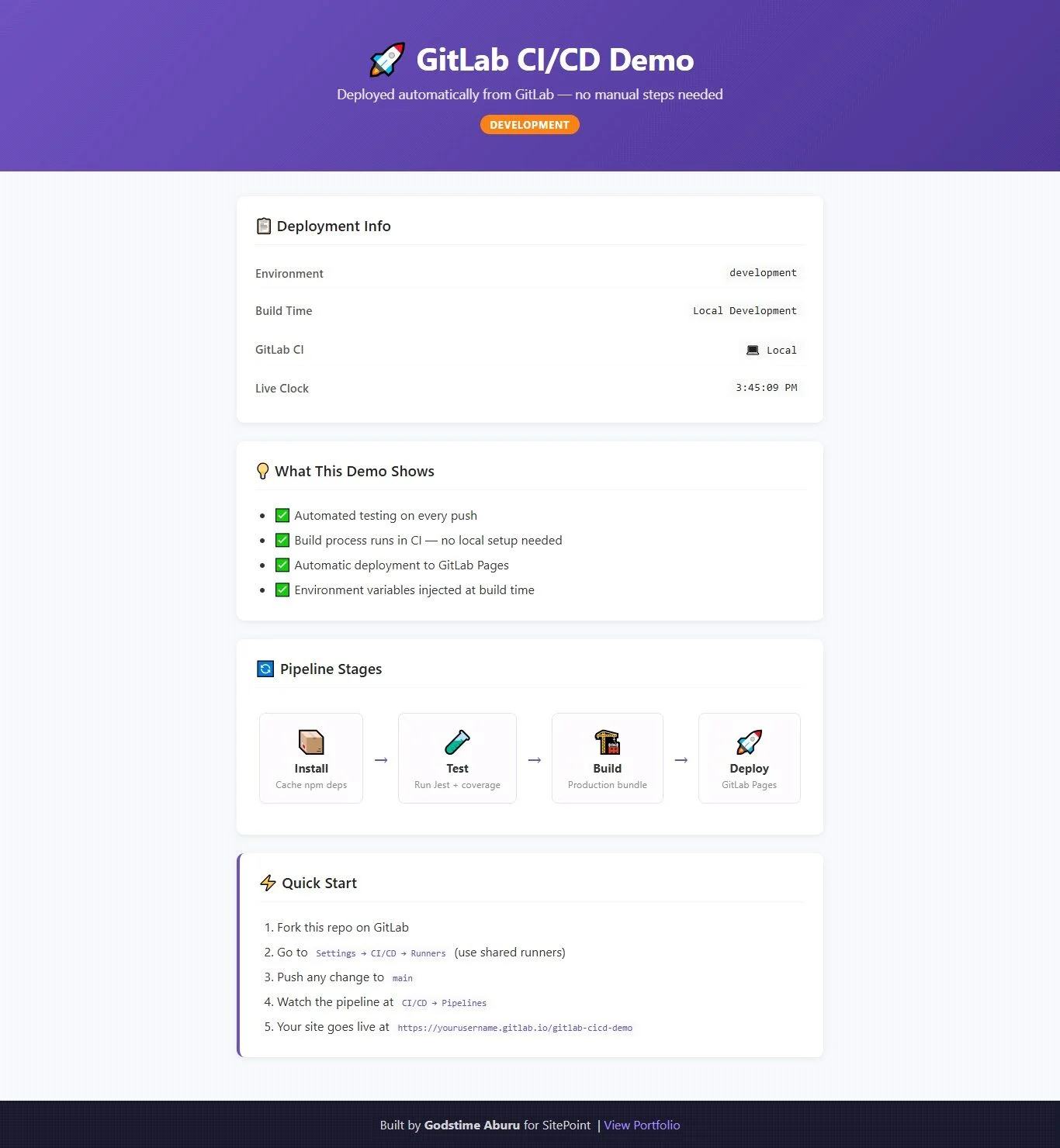
The demo is a React app that shows deployment info, which environment it's in, when it was built, whether it came from CI or someone's laptop. Simple UI, but it gives us actual environment variables to inject through the pipeline, which makes it a realistic example.
Project layout:
gitlab-cicd-demo/
├── .gitlab-ci.yml
├── public/
│   └── index.html
├── src/
│   ├── App.js
│   ├── App.test.js
│   ├── setupTests.js
│   └── index.js
└── package.json
GitLab looks for .gitlab-ci.yml at the root on every push. That file controls everything.
App Setup
Start with a fresh CRA project:
npx create-react-app gitlab-cicd-demo
cd gitlab-cicd-demo
React strips out any env variable that doesn't start with REACT_APP_, so in App.js we define two with fallbacks for local dev:
const buildTime = process.env.REACT_APP_BUILD_TIME || 'Local Development';
const gitlabCi  = process.env.REACT_APP_GITLAB_CI  || 'false';
Run it locally and you get the fallback strings. Run it through the pipeline and GitLab swaps in the real values.
Create src/setupTests.js with just this:
import '@testing-library/jest-dom';CRA picks it up automatically. No config needed anywhere else. This is the file that makes toBeInTheDocument() and similar matchers available. Don't add a jest block to package.json trying to reference it. CRA is strict about which Jest options it accepts and will refuse to start if it sees something it doesn't recognise, even if the key looks legitimate.
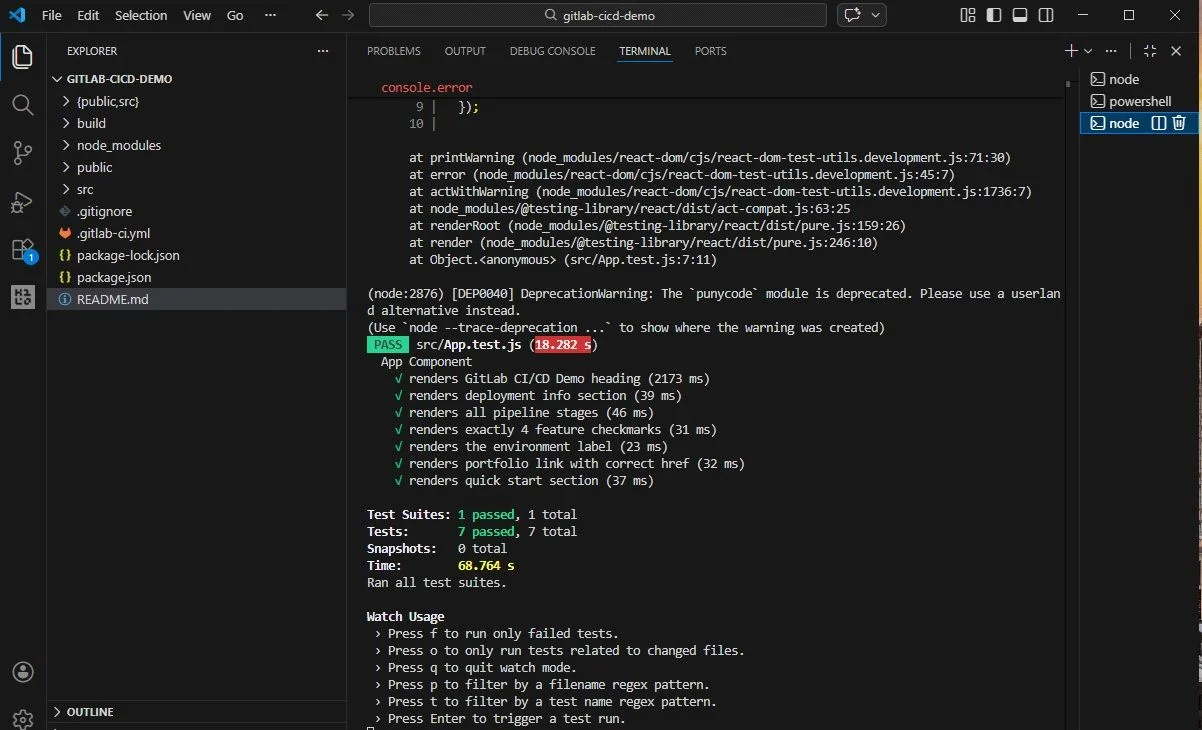
Quick warning if your headings have emojis. I had a heading that read '📋 Deployment Info', and getByText('Deployment Info') just kept failing. Took me a while to realise the emoji was part of the text node, so the full string was '📋 Deployment Info', not what I was searching for.
The fix is getByRole() with a textContent check:
const headings = screen.getAllByRole('heading', { level: 2 });
const match = headings.find(h => h.textContent.includes('Deployment Info'));
That way it doesn't matter what else is sitting in the heading.
The Pipeline Config
.gitlab-ci.yml goes in the project root. GitLab reads it on every push. Here's the full breakdown.
Stages
Stages run in order and stop on failure. A broken test means the build never runs. A broken build means nothing deploys. That's the behavior you want.
stages:
  - install
  - test
  - build
  - deploy
Cache
Without caching, every pipeline run downloads node_modules from scratch. On my first pipeline I didn't bother with it and ended up with installs taking four minutes per run. Once you have a few people pushing code regularly that becomes a real problem.
Using package-lock.json as the cache key means it only rebuilds when dependencies actually change:
cache:
  key:
    files:
      - package-lock.json
  paths:
    - node_modules/
    - .npm/
Install
Use npm ci, not npm install. Locally it barely matters. In a pipeline, npm install can quietly resolve packages differently or update the lockfile without telling you. npm ci just reads what's there and installs it verbatim. If something doesn't line up it fails loudly, which is what you want.
install:
  stage: install
  script:
    - npm ci --cache .npm --prefer-offline
  artifacts:
    paths:
      - node_modules/
    expire_in: 1 hour
Without the artifacts block, the test job would start with an empty node_modules and immediately fall over.
Test
The --ci flag stops Jest from going into watch mode and waiting. It runs once, reports, exits. The needs line makes sure node_modules is already there before it tries.
test:
  stage: test
  needs: [install]
  script:
    - npm run test:ci
  coverage: '/All files[^|]*\|[^|]*\s+([\d\.]+)/'
  artifacts:
    when: always
    reports:
      coverage_report:
        coverage_format: cobertura
        path: coverage/cobertura-coverage.xml
GitLab reads the coverage percentage out of the Jest output using that regex and shows it on the pipeline page. On merge requests it shows up inline, so reviewers can see straight away if a PR has dropped coverage.
Build
Every GitLab pipeline run comes with a bunch of built-in variables. We grab two and pass them into the build:
build:
  stage: build
  needs: [test]
  variables:
    REACT_APP_BUILD_TIME: "$CI_PIPELINE_CREATED_AT"
    REACT_APP_GITLAB_CI: "true"
    GENERATE_SOURCEMAP: "false"
  script:
    - npm run build
  artifacts:
    paths:
      - build/
    expire_in: 1 week
  rules:
    - if: '$CI_COMMIT_BRANCH == "main"'
    - if: '$CI_PIPELINE_SOURCE == "merge_request_event"'
GENERATE_SOURCEMAP is false because there's no good reason to ship your source code to users.
Deploy
This stage has two requirements that aren't obvious. The output folder must be called public, and the job itself must be called pages. Not 'deploy'. Not 'release'. Pages. I named mine 'deploy' the first time and spent an hour confused about why the pipeline was green but nothing was showing up on the site. GitLab runs the job either way, it just quietly skips the actual deployment if the name is wrong.
pages:
  stage: deploy
  needs: [build]
  script:
    - mkdir -p public
    - cp -r build/* public/
  artifacts:
    paths:
      - public
  environment:
    name: production
    url: https://$CI_PROJECT_NAMESPACE.gitlab.io/$CI_PROJECT_NAME
  rules:
    - if: '$CI_COMMIT_BRANCH == "main"'
Other branches run tests and build fine. They just don't trigger a deployment. You still get the feedback; nothing goes live until it hits main.
Pushing It Up
Make a blank public project on gitlab.com. Public is important because private projects need a paid plan for Pages. Then push:
git remote add origin https://gitlab.com/YOUR_USERNAME/gitlab-cicd-demo.git
git add .
git commit -m "Initial commit"
git push -u origin main
Head to CI/CD > Pipelines and watch it run. When the deploy job finishes, your site is at https://github.com/BboyGT/gitlab-cicd-demo. The app will show the actual pipeline timestamp and confirm it came through CI.
Where to Go From Here
Once this is working a few things are worth adding:
- Review apps. GitLab can spin up a live preview for each merge request. Useful when the change is visual and you want someone to actually look at it before it merges.
- Secret variables. API keys go in Settings > CI/CD > Variables, not in the yml file. GitLab masks them in logs. Treat anything in .gitlab-ci.yml as publicly readable.
- Deploying elsewhere. The deploy job is a shell script. Point it at S3, run an SSH command, hit a webhook. The rest of the pipeline doesn't change.
- Parallel test jobs. When the test suite gets slow, GitLab can split it across multiple runners. Worth it once a single test job is taking more than a few minutes.
Final Thoughts
Setting this up takes an hour or two the first time. After that it mostly runs in the background, and you stop thinking about it, which is the point. Deployments become boring, and boring is good.
If something in the pipeline config isn't working and you can't tell why, the job logs in GitLab are usually pretty direct about what failed. That and checking whether your deploy job is actually named pages will solve most of the issues you run into starting out.
The tool I just explained in its entirety is open-source. You can clone the GitHub repo and try it for yourself.